Designing a Video Game Progress Tracker Cover That Captures Gamer Spirit
A Video Game Progress Tracker cover design is far more than a protective sleeve; it is a statement of identity for players who value both form and function. Whether you are logging the number of stars collected in a platformer, tracking weapon upgrades in an RPG, or documenting speedrun attempts in a retro title, the cover serves as the gateway to your personal gaming history. This article explores the visual language, practical applications, and design considerations behind creating a cover that resonates with the gaming community. From pixel art aesthetics to editable PSD templates, every element contributes to a cohesive experience that balances nostalgia with modern utility.
Visual Language of Gaming: Why Covers Matter
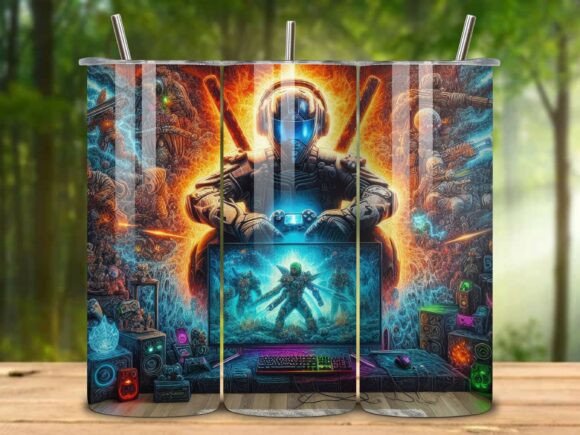
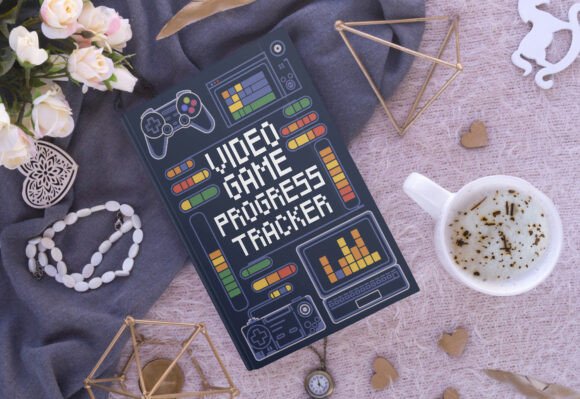
The cover of a progress tracker immediately communicates its purpose and audience. In the world of gaming, where every detail from controller grip to HUD color can affect immersion, the cover must feel like an extension of the hobby. A well-designed Video Game Progress Tracker cover design uses visual cues that gamers intuitively recognize: pixelated sprites, arcade-style buttons, and iconic controller silhouettes. These elements trigger emotional connections to classic gaming eras while remaining functional for today's hybrid gaming habits across consoles, PC, and mobile.
Retro and Modern Fusion
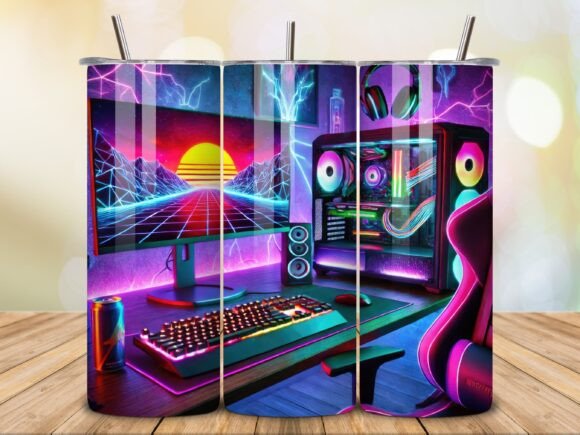
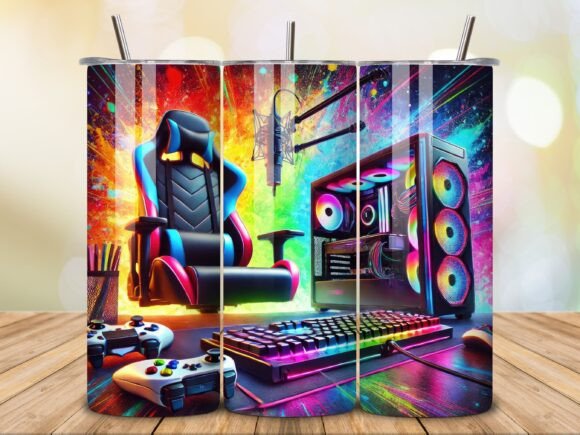
Pixel art remains a dominant motif because it bridges generations. A cover featuring 8-bit style character icons or blocky power-up symbols appeals to both older players who grew up with NES or Sega and younger gamers who appreciate the indie revival. Neon green, electric blue, and deep purple are common color choices because they evoke CRT monitor glow or RGB lighting setups found in gaming peripherals. The contrast of these vibrant hues against dark backgrounds mimics the dynamic energy of gaming sessions, making the cover feel alive even in print.
Typography That Moves
Dynamic, tech-inspired typography is essential for a Video Game Progress Tracker cover design. Fonts with sharp angles, geometric shapes, or subtle glitch effects suggest speed and precision—qualities valued in gaming. Headers might use a heavy sans-serif with cutouts resembling health bars or level indicators. Subtext for tracker categories (e.g., "Quests," "Stats," "Achievements") often uses lighter, rounded fonts to maintain readability. The typography should guide the eye naturally across the cover, mirroring how players scan game HUDs during play. This hierarchy ensures that the purpose of the tracker—logging progress—is immediately apparent.
Functional Design Elements for Every Gamer
Beyond aesthetics, a Video Game Progress Tracker cover design must support practical use. The cover dimensions (8.5 x 11 inches) align with standard planners and binders, offering flexibility for printing or digital display. Many designers provide the cover in PSD format for Adobe Photoshop CC, allowing users to customize layers such as their name, preferred colors, or specific game icons. This editability is crucial because no two gamers track exactly the same data. A completionist may need sections for collectibles and secrets, while a competitive player focuses on K/D ratios or leaderboards. The cover should visually hint at these internal categories without overwhelming the front page.
Layer-Based Customization Workflow
Using a PSD file for the cover design gives users control over every visual component. For instance, a designer might include separate layers for background pattern, controller silhouette, text fields, and decorative icons. A player can remove the retro gaming elements and replace them with modern sci-fi motifs simply by toggling layer visibility. The editable nature of the file also supports quick adjustments for different games. If a player is currently obsessed with a specific franchise, they can swap out generic power stars for franchise-specific symbols like a triforce, a master sword, or a Pokémon ball. This adaptability turns a generic cover into a personalized artifact of their gaming journey.
Print-Ready and Digital-Ready Formats
Every Video Game Progress Tracker cover design should include both editable and non-editable file options. The PDF version, which is ready to use but not editable, ensures that the cover maintains its intended design when printed at home or at a shop. This dual-format approach solves a common problem: users who lack Photoshop skills can still have a polished cover, while advanced creators can dive into the PSD. The entire package, typically delivered as a ZIP file, simplifies distribution. Including both formats also protects the integrity of the design—for example, ensuring that gradient effects or pixel patterns render correctly regardless of the user’s software.
Who Benefits from a Themed Tracker Cover?
The appeal of a Video Game Progress Tracker cover design spans multiple user groups. Understanding these audiences helps refine the design approach.
- Achievement Hunters and Completionists – These players obsess over 100% completion. Their cover should feature checkboxes, progress bars, or grid patterns that mirror in-game achievement lists. Colors like gold or silver can represent rarity tiers.
- Speedrunners and Competitive Gamers – This group values precision. Covers with stopwatch icons, leaderboard layouts, or segmented timers convey efficiency. Neon and metallic tones emphasize speed and accuracy.
- Role-Playing Game (RPG) Enthusiasts – Players who track quests, inventory, and character stats benefit from covers with fantasy or sci-fi motifs. Spellbook textures, map fragments, or glowing runes add thematic depth.
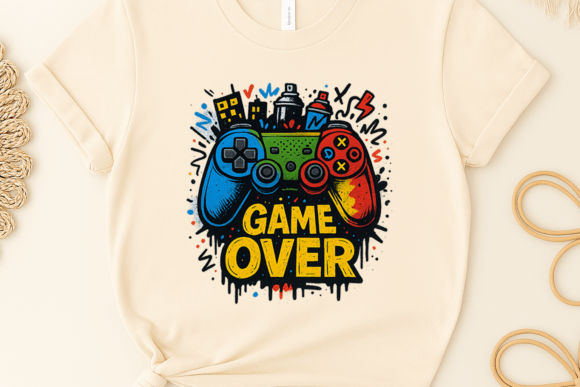
- Casual and Social Gamers – Those who play across multiple genres might prefer covers with universal gaming symbols: a controller, a headset, or a "Pause" icon. Muted neon on black backgrounds keep the design sleek without being overly niche.
- Content Creators and Educators – Streamers, YouTubers, and teachers using progress trackers for educational games need covers that are recognizable on camera or in classroom settings. Bold, high-contrast designs with simple typography work best.
Real-World Application: From Shelf to Screen
Consider a freelance game reviewer who tracks playtime, fun factor, and glitches encountered. Their Video Game Progress Tracker cover design might feature a joystick and a star rating system on the front, with a subtitle like "Let’s Play Log." The reviewer can easily modify the PSD to add a "Review Score" box later without redesigning the entire cover. Similarly, a parent helping a child learn math through Minecraft-themed worksheets could use the same cover template, swapping out game icons for numbers and shapes. The versatility of the design ensures it remains relevant across personal, professional, and educational contexts.
Considerations for Effective Cover Design
Creating a standout Video Game Progress Tracker cover design involves balancing visual excitement with usability. Overcrowding the cover with too many sprites or decals can confuse the eye, especially when the tracker is used frequently. The most effective designs use a focal point—like a large controller in the center or a row of character icons at the bottom—and let negative space breathe around it. Color psychology also plays a role: electric blue encourages focus, while neon green suggests growth and progression. Deep purple backgrounds add a sense of mystery and depth, appealing to gamers who enjoy lore-rich titles.
Technical Specifications and File Handling
When preparing the cover for distribution, including both a PSD file and a PDF file addresses varied user needs. The PSD should be organized with clearly named layers and groups, making it easy for even novice Photoshop users to edit. The PDF should be high-resolution (300 DPI) and color-managed for accurate print output. Since the cover is 8.5 x 11 inches, it fits standard US letter paper and many binder sleeves. Including a bleed area (e.g., 0.125 inches) in the PSD ensures that the design extends to the edge after trimming. These details elevate the professional quality of the cover and reflect the care that gamers put into their tracking systems.
Storing and Sharing the Cover
Delivering the cover files in a ZIP archive helps maintain folder structure and prevents corruption. Users can unzip the folder to access both the editable PSD and the ready-to-print PDF. For digital use, such as on a tablet or in a note-taking app, the PDF can be imported directly. Some gamers might embed the cover into a digital planner using apps like GoodNotes or Notability, where the 8.5 x 11 inch size matches standard page templates. This dual-use capability—physical and digital—extends the value of the cover, making it a versatile tool for tracking game progress across platforms.
Trends Influencing Cover Design Today
The gaming community increasingly values personalization and nostalgia. A Video Game Progress Tracker cover design that ignores these trends risks feeling generic. Current popular motifs include:
- Retro Arcade Aesthetics – Scanlines, glitch effects, and CRT monitor textures are trending, especially among fans of indie retro games. These elements evoke a tactile, pre-HD era that many players romanticize.
- Minimalist Modern – Some gamers prefer clean lines and monochromatic schemes with a single pop of neon color. This style suits those who use trackers for multiple games and want a cover that works universally.
- Collaborative and Community Designs – Cover templates that allow for community-driven icon packs (e.g., shared sprite libraries) are gaining traction. Designers who release PSD layers as blank canvases invite others to contribute, building a following around the template.
- Accessibility-Focused Visuals – High contrast, large text, and clear iconography help gamers with visual impairments or neurodivergent conditions benefit from the tracker. Covers with adjustable contrast layers are a thoughtful innovation.
Adapting to Cross-Platform Play
As gaming becomes more cross-platform, a single cover might represent progress across Switch, PC, and mobile. Modern designs incorporate platform-agnostic symbols like cloud save icons or universal power-ups. This shift acknowledges that a gamer's progress is no longer confined to one device. The cover becomes a hub for synced achievements, requiring a visual language that transcends console loyalty. For example, a cover might use a "40%"[MS1] element but with a generic progress bar rather than a specific platform’s badge. This adaptability ensures the cover remains relevant as new consoles and services emerge.
Practical Implementation for Designers and Users
For designers creating a Video Game Progress Tracker cover design, starting with a clear wireframe helps. Map out where the title, subtitle, decorative elements, and any functional widgets (like a "Games Completed" counter) will sit. Use layers from the start so that users can easily modify text and images. When selecting pixel art assets, ensure they are vector-based or high-resolution PNGs to avoid scaling issues. Offering a variety of color palettes—say, three distinct schemes—can cater to different preferences without requiring additional files. This approach streamlines the user’s choice while maintaining design consistency.
Testing the Cover in Context
Before finalizing, test the cover in both print and digital environments. Print a sample on standard office paper to check color vibrancy and text readability. Load the PDF into a note-taking app to verify that hyperlinks (if included) work or that the layout fits screen dimensions. User feedback from fellow gamers can highlight whether the cover feels too cluttered or if the gaming references resonate. For instance, a design featuring a specific console controller might alienate PC gamers, whereas a generic D-pad and buttons cross platform boundaries more effectively.
Long-Term Value and Iteration
A cover design that remains editable over time encourages users to return to the file as their gaming habits evolve. Providing version updates with new icon packs or typography trends can keep the design fresh. Some designers offer seasonally themed covers—like horror icons for October or snow motifs for winter—that users can swap in. This approach builds loyalty and establishes the cover as a living document rather than a static image. For the user, investing in a flexible cover means their progress tracker can grow alongside their favorite games, from a single player campaign through to a multiplayer obsession.
Ultimately, a Video Game Progress Tracker cover design succeeds when it balances visual flair with practical function. Whether rendered in neon pixel art or minimalist vector lines, the cover should reflect the passion and precision that gamers bring to their hobby. By offering editable PSD files along with ready-to-use PDFs, creators empower users to craft a tracking experience that feels uniquely their own. From a casual log of weekend play sessions to a detailed database of speedrun times, the cover sets the stage for a journey through virtual worlds—one that is as stylish as it is organized. As the gaming landscape continues to expand, the well-designed cover will remain a trusted companion for every player looking to document their progress with pride.