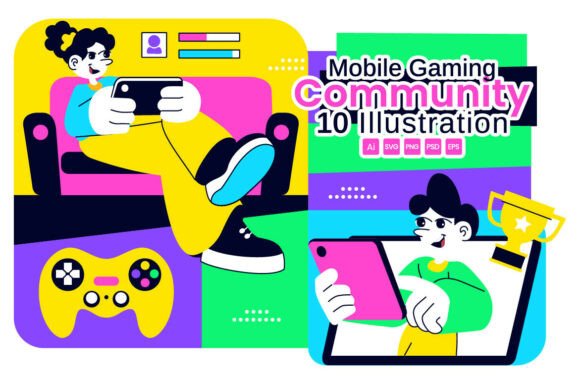
10 Mobile Gaming Community Illustration: A Versatile Resource for Digital Design and Esports Branding
When you are putting together a visual campaign for esports, online gaming, or digital entertainment, the imagery you choose matters a lot. A single illustration can communicate teamwork, competition, and community faster than a paragraph of text. That is exactly where the 10 Mobile Gaming Community Illustration set comes into play. This collection of vector and raster files gives you ready-made visuals of online players interacting, esports teamwork in action, and a connected digital entertainment network. Whether you are a marketer building a landing page or a hobbyist creating a poster for a local tournament, these illustrations offer a practical starting point. Let’s walk through what this resource actually contains, how different people use it, and what you should think about before downloading or buying it.
What the Mobile Gaming Community Vector Illustration Set Includes
Before diving into use cases, it helps to understand what you are getting. This bundle is built around ten individual illustrations that show mobile gaming scenarios. You see players communicating, teams coordinating during a match, and a broader network that suggests connectivity and community. The files come in multiple formats: vector AI, EPS 10, SVG, plus a PNG with a transparent background and a layered PSD file for Photoshop. There is also a preview JPEG and a help file with property details. Every vector is fully editable, meaning you can change colors, objects, and the background without losing quality. The PSD file is ungrouped and unlabeled, which sounds a bit messy at first, but it gives you total control over every layer once you open it.
Poster Design for Esports Events and Tournaments
Imagine you are organizing a local mobile gaming tournament. You need a poster that grabs attention in a busy gaming cafe or on a community bulletin board. The Mobile Gaming Community Vector Illustration set gives you scenes that show players in action, which instantly signals what the event is about. You can take one illustration of a team working together, adjust the colors to match your event branding, and add text around it. Because the files are vectors, you can scale the artwork to fit a large poster without pixelation. The transparent PNG also comes in handy if you want to overlay the illustration on a photo background or a gradient. This saves you the trouble of hiring an illustrator or spending hours drawing something from scratch.
Web Banners and Landing Pages for Gaming Platforms
If you run a gaming community website or a platform that connects mobile players, your landing page needs to communicate connection and activity immediately. Using the 10 Mobile Gaming Community Illustration on your hero banner or feature sections helps visitors understand what your platform offers. For example, you could use an illustration showing players interacting to highlight your chat or matchmaking feature. Another image showing team coordination could sit above a call-to-action for joining a clan. Because the SVG files are lightweight and scalable, they load fast on mobile devices and look crisp on retina screens. The editable vectors let you change the skin tones, device colors, or background to match your brand palette, which makes the page feel cohesive rather than generic.
Brochures and Promotional Materials for Game Studios
Game developers and publishers often need printed materials for trade shows, press kits, or partner meetings. A brochure about a new mobile multiplayer title needs visuals that show the social side of the game, not just screenshots of gameplay. The Mobile Gaming Community Vector Illustration collection provides exactly that context. You can place an illustration of players communicating next to a description of your in-game voice chat feature. Another image of a team celebrating a win works well on a page about ranked modes or clan rewards. Since the AI and EPS files are fully editable, your graphic designer can tweak poses, add game-specific elements, or change the background to a gradient that matches your game’s UI theme. This flexibility means you are not stuck with a stock look that everyone else uses.
Social Media Graphics and Content Marketing
Content creators, community managers, and social media marketers work with tight deadlines. You might need a weekly post about teamwork, a quote graphic about esports, or a header image for a Facebook group. The 10 Mobile Gaming Community Illustration set gives you a library of visuals you can repurpose across different platforms. For instance, you could export an illustration as a PNG with a transparent background and place it inside a social media template. The vector files also allow you to extract individual elements, like a phone screen or a player silhouette, and use them as icons or accent graphics. Over time, this creates a consistent visual language for your brand without requiring you to commission new art every week. The help file included in the bundle explains the file properties, which makes it easier to know which format works best for Instagram, Twitter, LinkedIn, or YouTube thumbnails.
Freelance Designers and Creative Agencies
If you take on clients in the gaming or tech space, you know how often they ask for modern, community-focused visuals. Having the Mobile Gaming Community Vector Illustration bundle in your toolkit means you can respond faster to briefs. Instead of starting every project from scratch, you pull one of the ten illustrations, customize it to the client’s brand, and deliver a unique asset. The ungrouped PSD file, while not labeled, gives you the flexibility to rearrange layers and experiment with compositions. For a client who wants a landing page and a brochure to match, you can use the same illustration across both formats, adjusting the color and layout for each medium. This consistency builds trust with your clients and reduces your turnaround time.
Small Business Owners and Entrepreneurs in Esports
Running a small esports organization, a gaming cafe, or a mobile tournament platform often means doing your own marketing. You do not have a big budget for custom illustration, but you still want your brand to look professional. The 10 Mobile Gaming Community Illustration
set gives you that professional look at a fraction of the cost of hiring an artist. You can use the illustrations on your website, on flyers, and even on merchandise like T-shirts or stickers. Since the vectors are editable, you can replace the default colors with your brand colors, which makes the artwork feel owned rather than borrowed. The preview JPEG helps you quickly browse the options before committing to a final choice, which is helpful when you are juggling multiple tasks. Teachers and trainers who run courses on game design, esports management, or digital media often need visuals for presentations, handouts, or online course thumbnails. The Mobile Gaming Community Vector Illustration collection provides clear, modern imagery that appeals to students who are already interested in mobile gaming. You could use an illustration of players interacting to explain community management concepts, or an image of team coordination to discuss communication protocols in esports. Because the files are vector-based, you can enlarge them for a projector screen or reduce them for a printed study guide without losing quality. The transparent PNGs also make it easy to insert illustrations into slide decks without fighting with background boxes. While this illustration set is versatile, not every user will need every file format. If you mainly work in Photoshop, the layered PSD gives you direct editing power, but it is ungrouped and unlabeled, so you will need to spend a few minutes organizing layers yourself. If you work in Illustrator or prefer web graphics, the AI, EPS 10, and SVG files are more immediately useful. The help file explains the properties of each format, so read that before jumping into editing. Also think about the artistic style. These illustrations show modern mobile gamers in a clean, vector style. That works well for contemporary brands, but if your project calls for a retro, minimalist, or hyper-realistic look, this set might not fit without heavy modification. The strength of this bundle lies in its community and teamwork theme, so if your content focuses on solo gaming or hardware reviews, only a few of the ten illustrations will apply directly. Finally, consider your editing skill level. Fully editable vectors mean you can change almost anything, but you need basic knowledge of vector software like Adobe Illustrator or Affinity Designer to take advantage of that. For users who just want a quick PNG to drop into a social post, the transparent background files are enough. For those who want to customize colors or combine elements, the vector formats are the way to go. When you choose a visual resource like the 10 Mobile Gaming Community Illustration, the goal is not just to have pretty pictures. It is about communicating a message faster, building trust with your audience, and saving time on production. A tournament organizer who uses these illustrations on a poster will attract players who immediately recognize the social nature of the event. A marketer who places a teamwork illustration on a landing page will help visitors understand the platform’s value within seconds. A small business owner who customizes the colors and uses the artwork across a brochure and website will create a consistent brand presence without hiring a designer for each piece. The practical value comes from the combination of variety and editability. With ten different scenes, you have options for multiple use cases, and with editable vector files, you can adapt those scenes to your specific context. The inclusion of both vector and raster formats means you are covered for print, web, and social media. And the help file and preview JPEG reduce the guesswork when you are choosing which illustration to start with. Whether you are a freelancer pitching to an esports client, a blogger writing about mobile gaming trends, or a tournament organizer creating promotional materials, having a dependable set of community-focused illustrations makes your work easier. The Mobile Gaming Community Vector Illustration bundle offers exactly that: clear, modern visuals that show players interacting, teams working together, and a connected digital network. It is not a magic solution that works for every project, but for the right use cases, it saves time, improves consistency, and helps you communicate your message without extra effort. Take a look at the preview JPEG, open the files that match your workflow, and adjust the colors and elements to fit your brand. That is where the real value lies not just in owning the files, but in using them to tell your own story about gaming and community.Educators and Content Creators in Gaming
Things to Consider Before Downloading or Buying
Real Outcomes from Using This Illustration Bundle
Final Thoughts on Using Mobile Gaming Community Illustrations
🔗 You Might Also Like