Cloud Gaming Icons: Versatile Vector Graphics for Any Project
As cloud gaming platforms expand, the need for clean, recognizable visual language grows. Whether you are building a game discovery app, designing a tutorial infographic, or creating promotional materials for a streaming service, the right set of icons can make your work more intuitive and professional. The Cloud Gaming Icons collection offers a library of simple, scalable vector graphics designed to fit seamlessly into websites, mobile apps, books, social media, flyers, banners, posters, and printed materials. Because every file is fully customizable, you can adapt the icons to match your exact project requirements without starting from scratch.
What Makes Cloud Gaming Icons Stand Out?
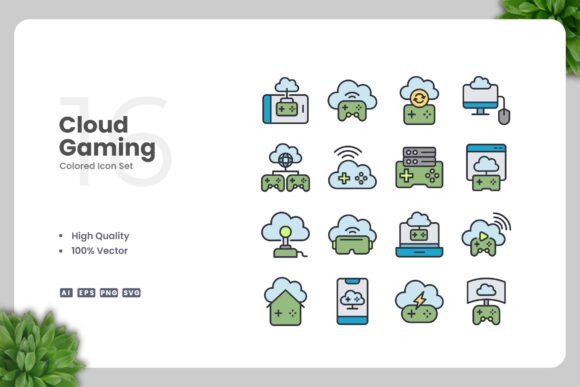
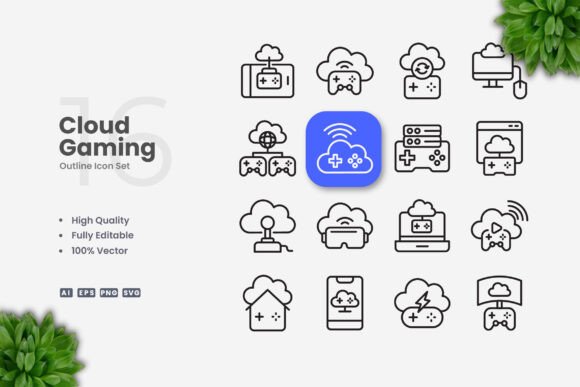
At its core, this set provides a cohesive series of symbols representing gaming clouds, streaming signals, controllers, network nodes, and related concepts. Each icon follows a clean, minimal style that communicates clearly at small sizes on mobile screens and remains crisp when enlarged for posters. The design avoids unnecessary detail, making it suitable for audiences who value clarity over decoration.
All files are delivered in vector formats: Adobe Illustrator (AI), EPS version 10, and SVG. A high-resolution PNG with transparency is also included for quick use without editing software. The source files are easy to drag and drop into your preferred application. You can resize, change color, or adjust stroke weight using tools like Adobe Illustrator or CorelDRAW. The Readme.txt file explains the folder structure, so even less experienced users can get started quickly.
Why Different Users Value This Icon Set
The appeal of the Cloud Gaming Icons collection varies depending on who you are and how you work. Here are several perspectives that highlight different priorities.
For Creators and Designers
If you regularly produce content for multiple channels, you need assets that adapt without breaking. A designer can use the same cloud icon on a landing page, then reduce the stroke weight and change its color to fit a dark mode interface. The editable stroke feature is especially valuable when you need consistent line widths across a set. For example, you might pair a streaming icon with a server icon in a dashboard; vector editing lets you align both visually. Beginners appreciate that the files open directly in popular software, while experienced creators can build entire icon systems by tweaking the provided SVGs.
For Professionals and Marketers
Brand consistency matters in campaigns and corporate materials. A marketer designing a flyer for a cloud gaming event can use the icons directly in Adobe InDesign or place them in a PowerPoint slide. Because the EPS files are compatible with legacy software, there are no compatibility surprises. The high-quality vector design ensures that the same icon printed on a banner looks as sharp as it does on a social media post. For professionals who need to hand off files to a print shop, the AI and EPS formats are industry standards. The set’s simplicity also reduces file size, speeding up workflows when embedding icons into documents or email templates.
For Educators and Hobbyists
Teachers explaining cloud computing concepts can incorporate these icons into infographics, worksheets, or slide decks. The clean style eliminates visual noise, helping students focus on the idea rather than distracting graphics. A hobbyist designing a personal gaming dashboard might use the SVG files to customize a web page without paying for a subscription-based icon service. Since the icons are 100% customizable, you can experiment with color palettes and stroke effects as part of your learning process—a great way to practice vector editing skills.
For Small Business Owners
Budget-conscious entrepreneurs often need professional visuals without hiring a designer. With this set, a small business owner can create their own social media posts, event posters, or website icons in-house. The included PNG transparency makes it possible to upload directly to a blog or e-commerce site even if you don’t own vector software. The one-time purchase gives you a library of ready-to-use assets that you can modify for different promotions. For a game cafe, for instance, you might use the same cloud gaming icon on a menu, a Facebook ad, and a printed store sign—maintaining a cohesive look with minimal effort.
Practical Considerations When Choosing Icon Sets
Not all icon collections are created equal. The Cloud Gaming Icons files are built around flexibility and reliability, but it helps to evaluate them against your own workflow.
- Quality and consistency: Every icon is handcrafted in vector format with a uniform stroke style. You won’t find mismatched weights or irregular padding.
- Customization range: Because the AI and EPS files group elements logically, you can isolate individual paths, change fill colors, or adjust stroke thickness without breaking the design. This is especially useful if you need to match a specific brand palette.
- File formats delivered: The package includes AI, EPS version 10, SVG, and transparent PNG. SVG is ideal for web use because it scales perfectly and supports CSS styling. PNG works for quick placements in any software.
- Ease of use: The drag-and-drop nature of SVG and PNG means you can start using icons immediately. The Readme.txt provides a simple guide for first-time users.
- Preview note: The product listing makes clear that a preview mockup is not included. This means you receive only the icon files—no staged images. For many users, this is preferred because it avoids extra clutter and lets you focus on the actual assets.
Who Should Consider This Collection?
This set is especially relevant if you value simplicity and control over your visual assets. If you are a creator who regularly produces content across web, print, and social media, the editable vectors save time and maintain quality. If you are a marketer or small business owner looking for a one-time investment that covers multiple use cases, the included formats and easy editing reduce future costs. Even if you are a beginner with limited design experience, the straightforward files let you achieve professional results by tweaking just a few properties.
On the other hand, if you need highly detailed, photorealistic icons or a fully branded pack with predefined color schemes, this minimalist set may require more personal customization. However, for those who want a solid foundation of cloud gaming icons that they can refine over time, the collection offers exactly that flexibility.
Ultimately, the value comes from matching the product to your skill level and project type. Whether you are building a mobile app, designing a book about streaming technology, or preparing a presentation for stakeholders, the Cloud Gaming Icons provide a reliable starting point that grows with your needs. By focusing on clean lines and editable strokes, the set supports both rapid deployment and long-term customization—an asset in today’s fast-paced content environment.